> For the complete documentation index, see [llms.txt](https://docs.debot.ai/llms.txt). Markdown versions of documentation pages are available by appending `.md` to page URLs; this page is available as [Markdown](https://docs.debot.ai/basic-features/guan-cha-fen-zu.md).
# 观察分组
## 钱包观察分组
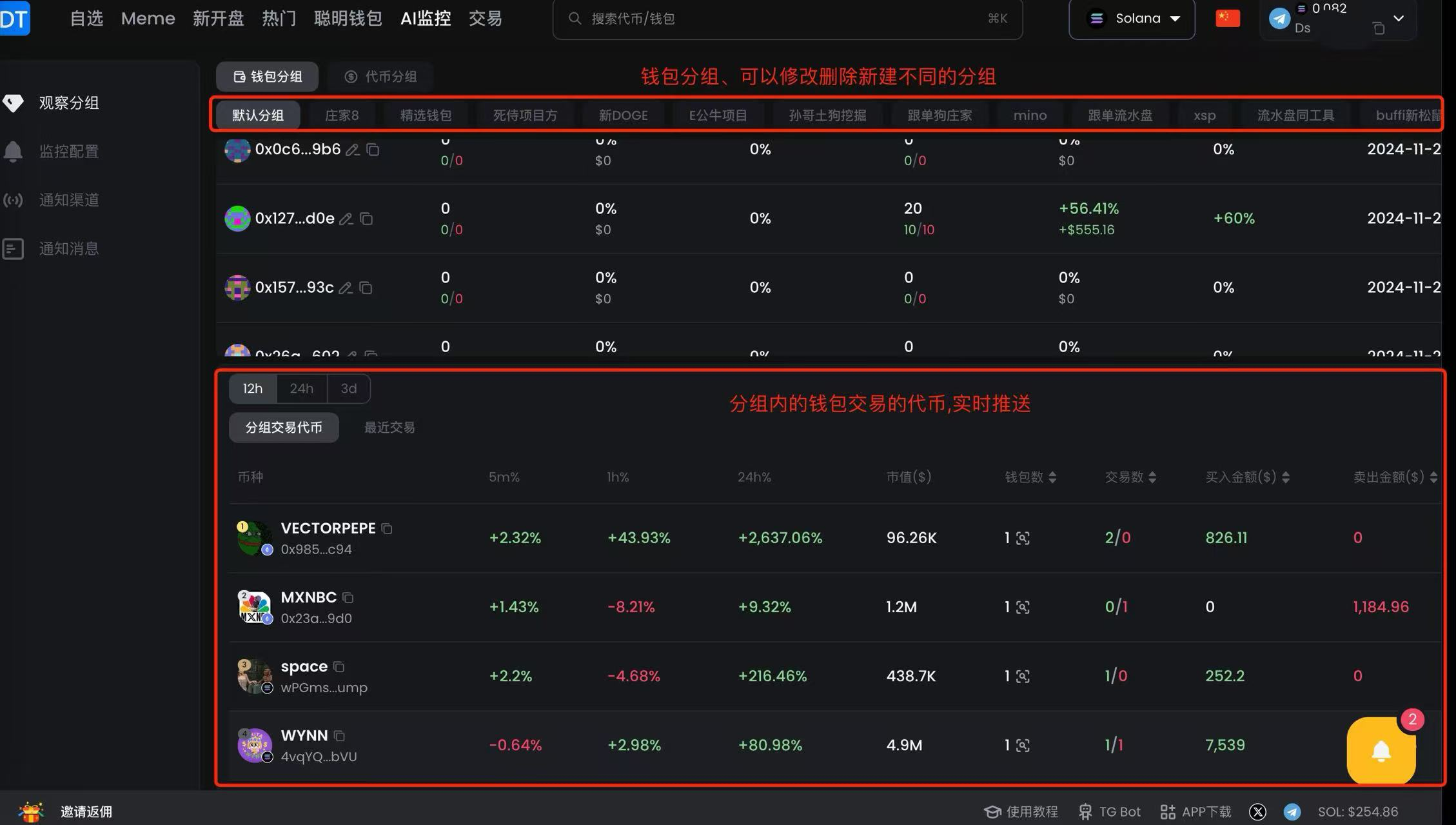
列表在打开观察分组是我们提出的一个特有概念,基于观察分组,您可以分析基于分组的数据、基于分组配置监控。页面会自动刷新,实时刷新列表中钱包交易的代币,方便您进行查看
单个分组最多添加500个钱包,一个钱包可以被加入到多个分组中
 ### 添加步骤
添加观察地址有三种方式,选择其中一种操作即可
#### 1. 地址导入和批量导入
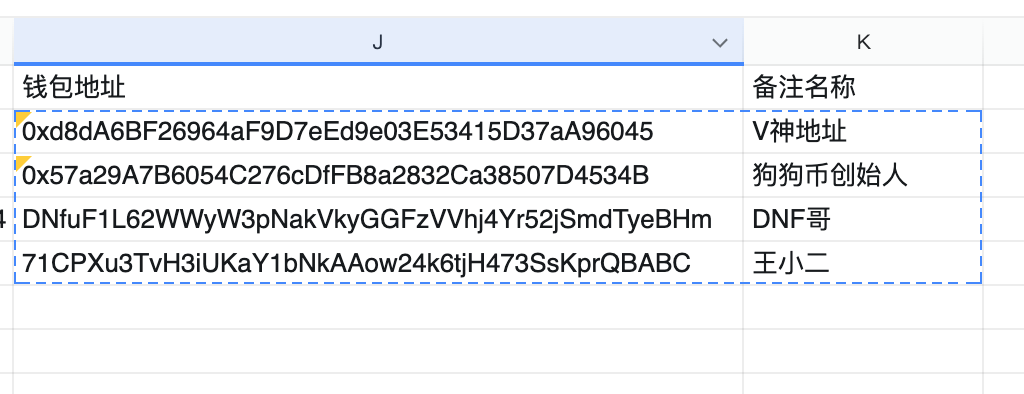
地址和名称中间用空格或/隔开即可,或将钱包地址放在表格的两列,复制时地址和备注名称一起复制即可,支持多链,**不同链的地址都可以放在同一个组别**
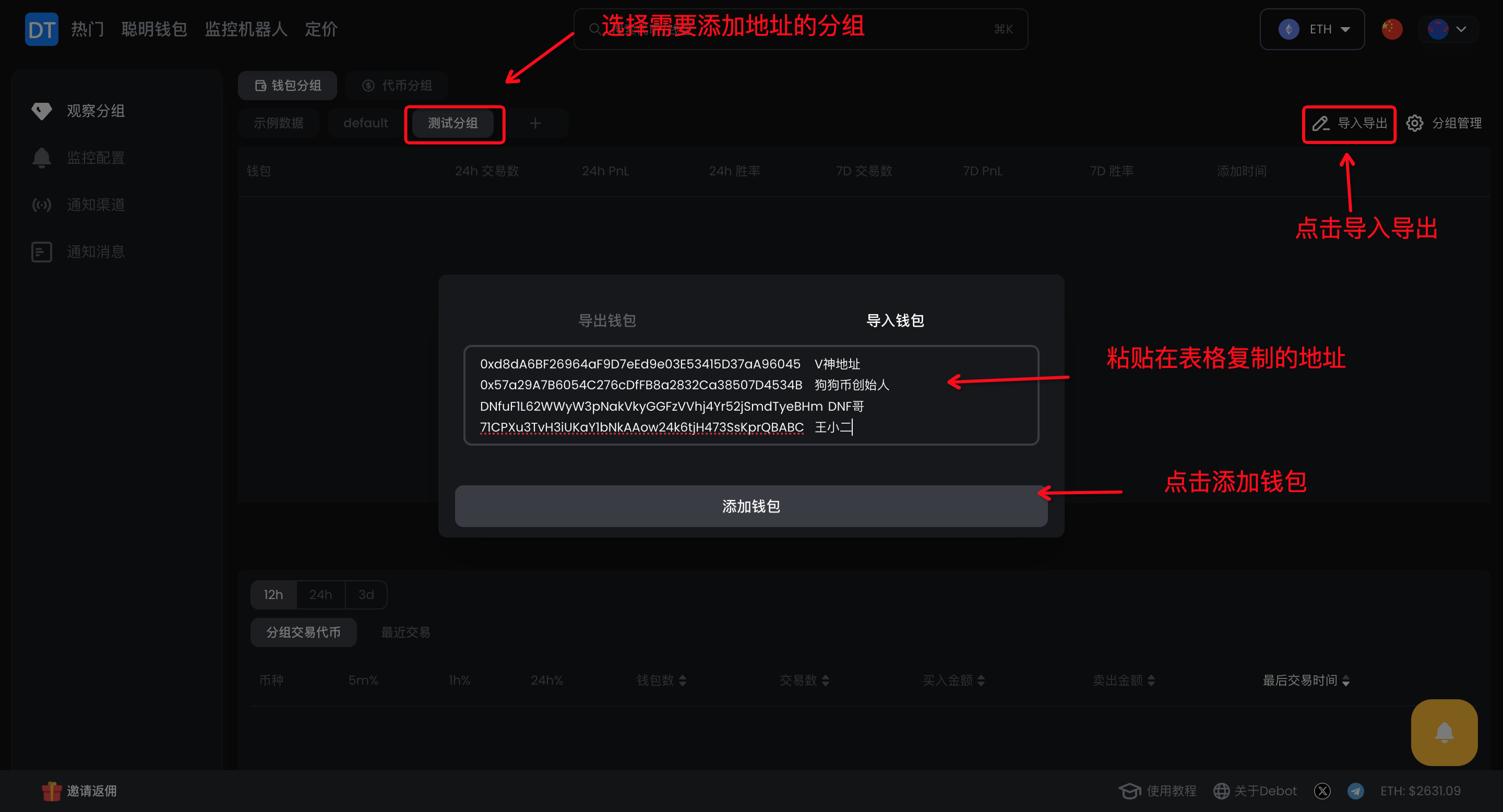
路径:监控机器人—观察分组—钱包分组—选择分组—点击导入导出—点击导入钱包—粘贴表格复制的地址—确定添加钱包
### 添加步骤
添加观察地址有三种方式,选择其中一种操作即可
#### 1. 地址导入和批量导入
地址和名称中间用空格或/隔开即可,或将钱包地址放在表格的两列,复制时地址和备注名称一起复制即可,支持多链,**不同链的地址都可以放在同一个组别**
路径:监控机器人—观察分组—钱包分组—选择分组—点击导入导出—点击导入钱包—粘贴表格复制的地址—确定添加钱包
 #### 2. 从交易历史,TOP收益榜单,持仓等位置点击任意地址进入地址查询页面
路径:点击地址—修改备注名称—点击观察—选择观察分组—确定
#### 2. 从交易历史,TOP收益榜单,持仓等位置点击任意地址进入地址查询页面
路径:点击地址—修改备注名称—点击观察—选择观察分组—确定
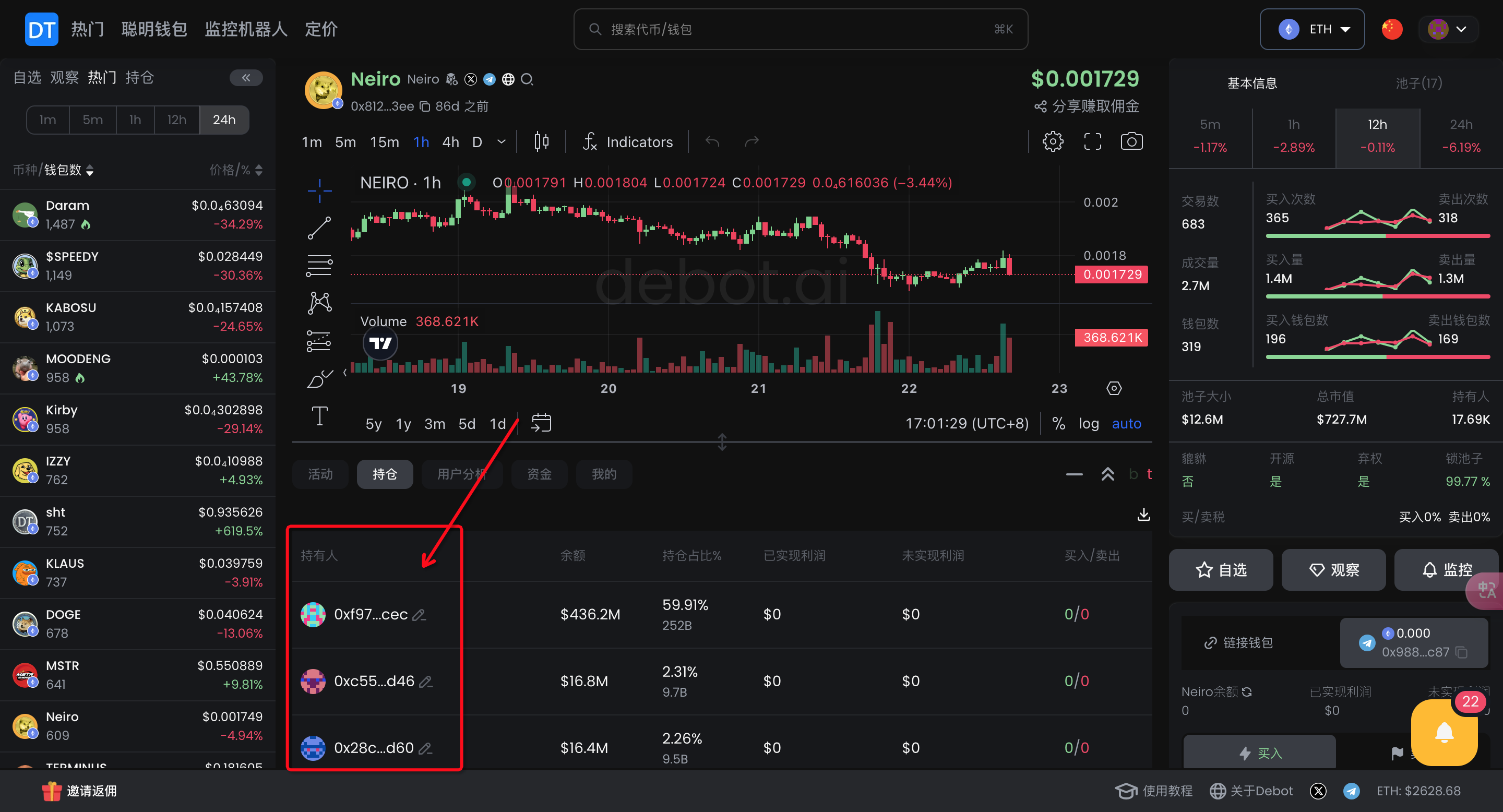 钱包查询页面
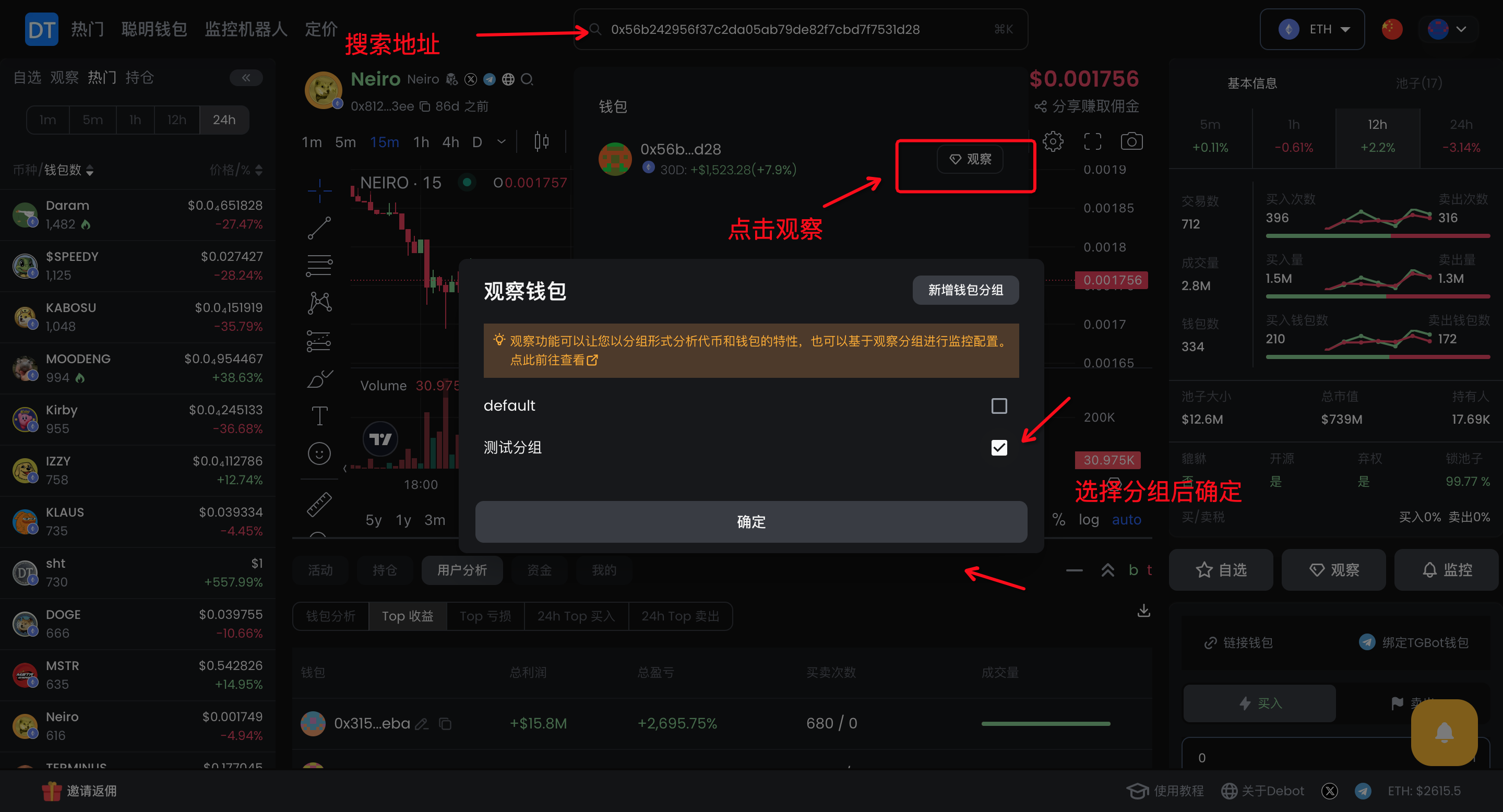
 #### 3. 主动搜索钱包地址
路径:搜索地址—点击观察—选择分组—确定
#### 3. 主动搜索钱包地址
路径:搜索地址—点击观察—选择分组—确定
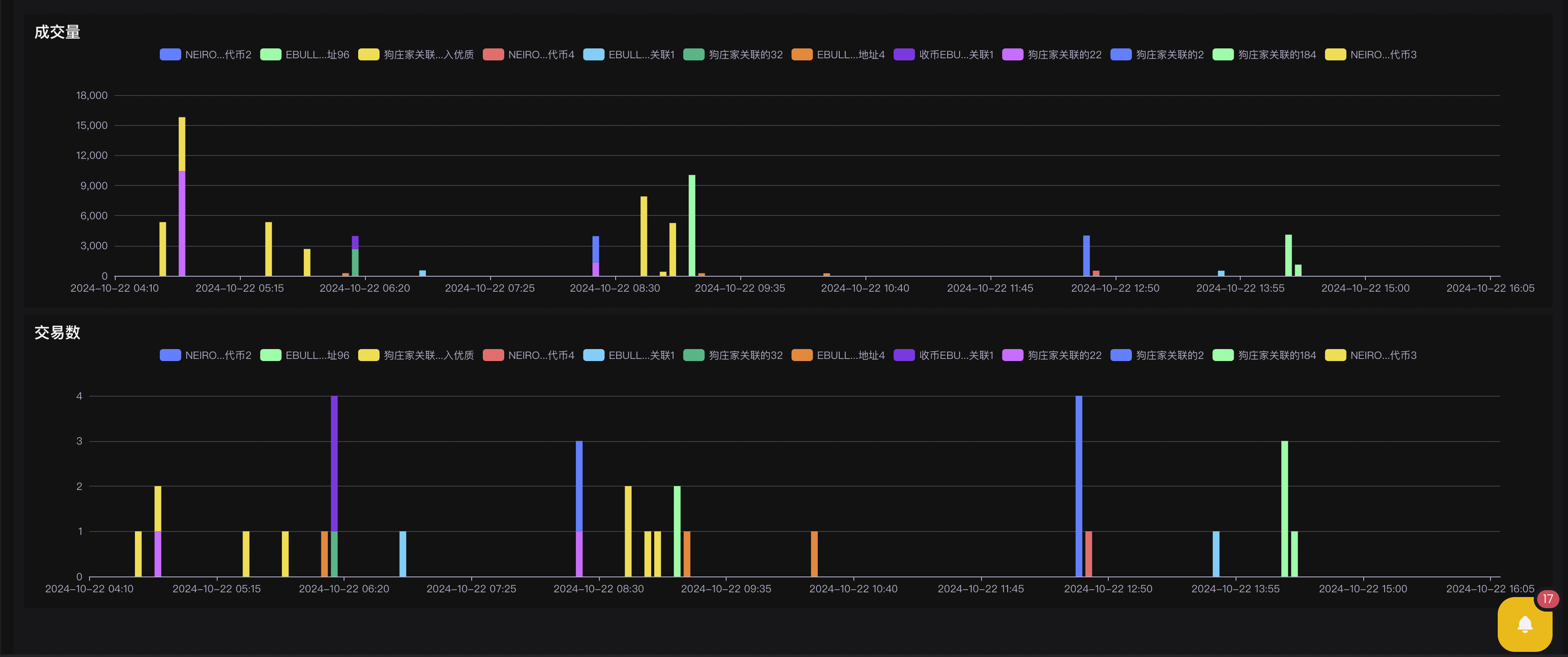
 ### 查看分组中同时买入某个币的钱包
### 查看其他数据分析
### 查看分组中同时买入某个币的钱包
### 查看其他数据分析
 ## Token观察分组
### 添加步骤
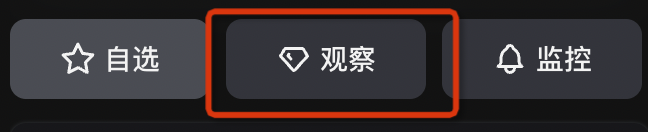
通过页面上有钻石图标添加的地方
## Token观察分组
### 添加步骤
通过页面上有钻石图标添加的地方
 ## 基于分组的监控
{% hint style="info" %}
如果分组配置了监控,那么往分组里面加入钱包或者代币的时候,监控配置也会作用到新加入的钱包或者代币
{% endhint %}
## 基于分组的监控
{% hint style="info" %}
如果分组配置了监控,那么往分组里面加入钱包或者代币的时候,监控配置也会作用到新加入的钱包或者代币
{% endhint %}