# TG通知配置教程

### Intro

* 想要导入钱包后即可在Telegram接收到交易活动的通知？只需要简单的几步即可完成！

### 第一步 创建你的bot （两种方式）

#### 方法1： 与bot对话的形式

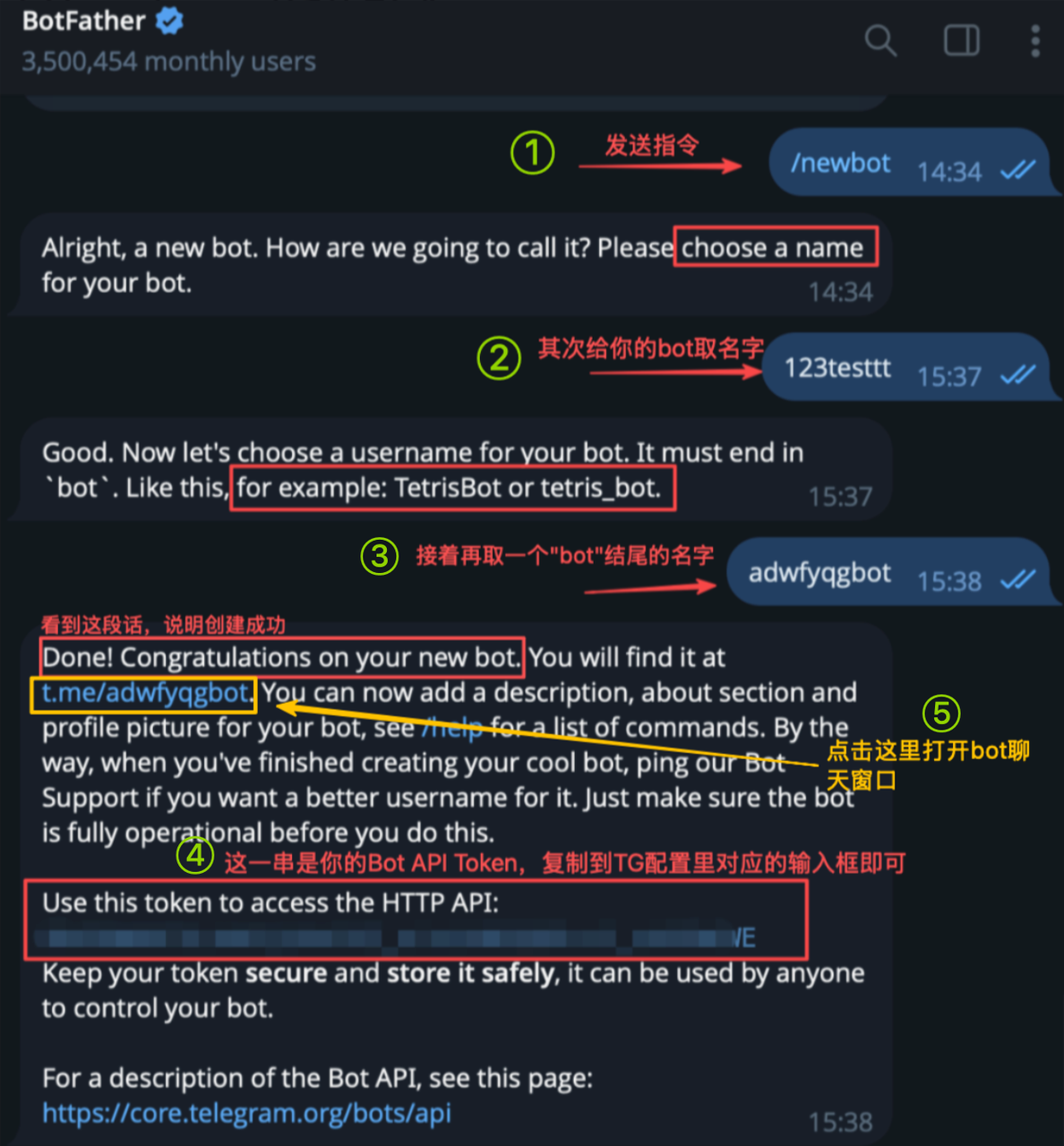
* 首先打开[@BotFather](https://t.me/BotFather)，输入/newbot，接着根据自己的喜好给bot取个名字，随后再给bot取一个以"bot"为后缀的名字后，属于你自己的bot就创建成功了
* 随后将该bot的API token复制到输入框即可
* 接着打开刚刚创建的bot的聊天记录窗口，点击“Start”激活机器人即可

<div data-with-frame="true"><figure><img src="/files/tCGtpOVyPSxDgfohVSfr" alt="" width="375"><figcaption></figcaption></figure></div>

#### 方法2：与bot交互的形式

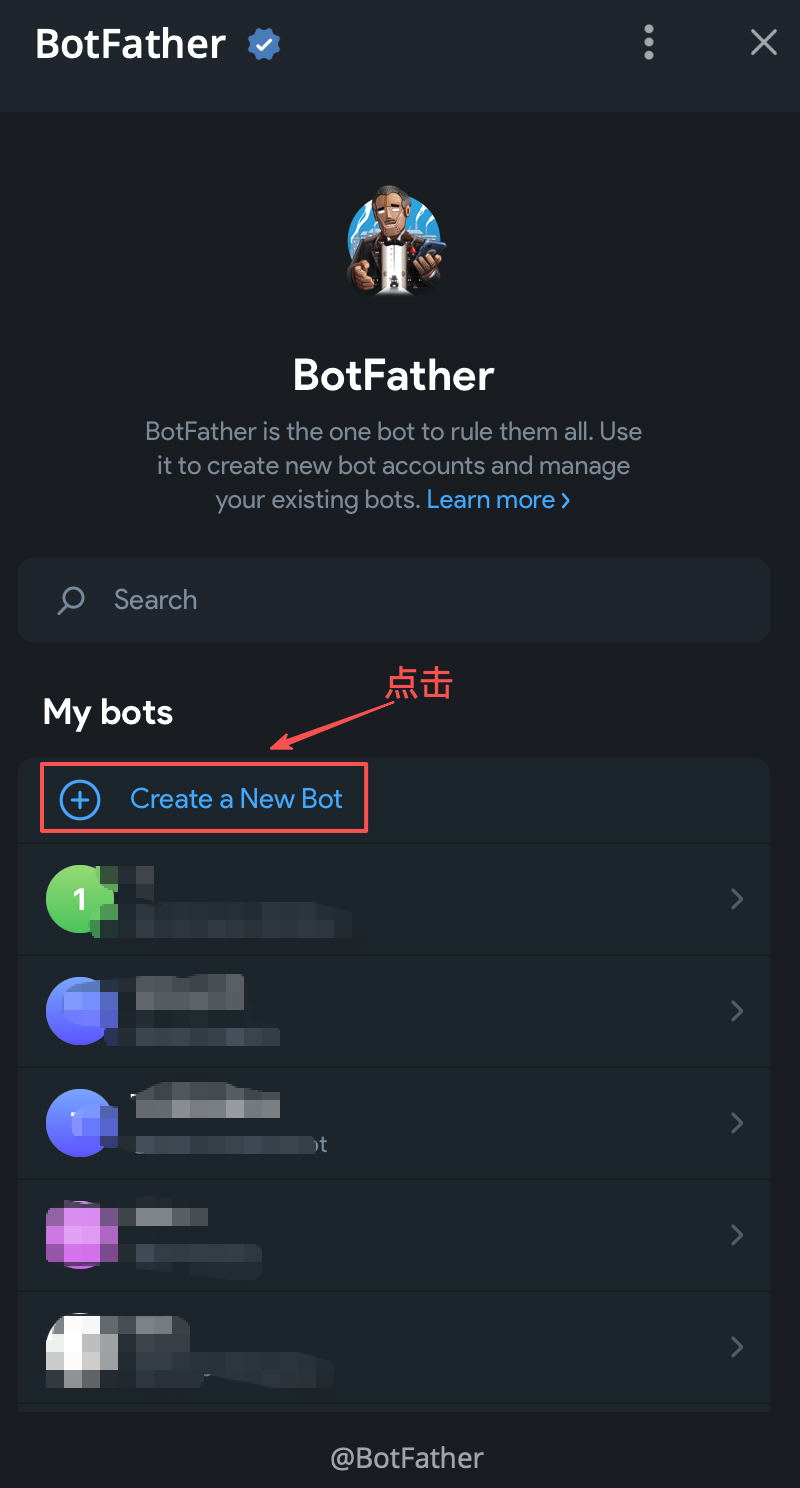
* 首先点击"Open"
* 点击"Create a New Bot"

<div data-with-frame="true"><figure><img src="/files/3XUN2Cz8yjCPCWn9JExA" alt="" width="375"><figcaption></figcaption></figure></div>

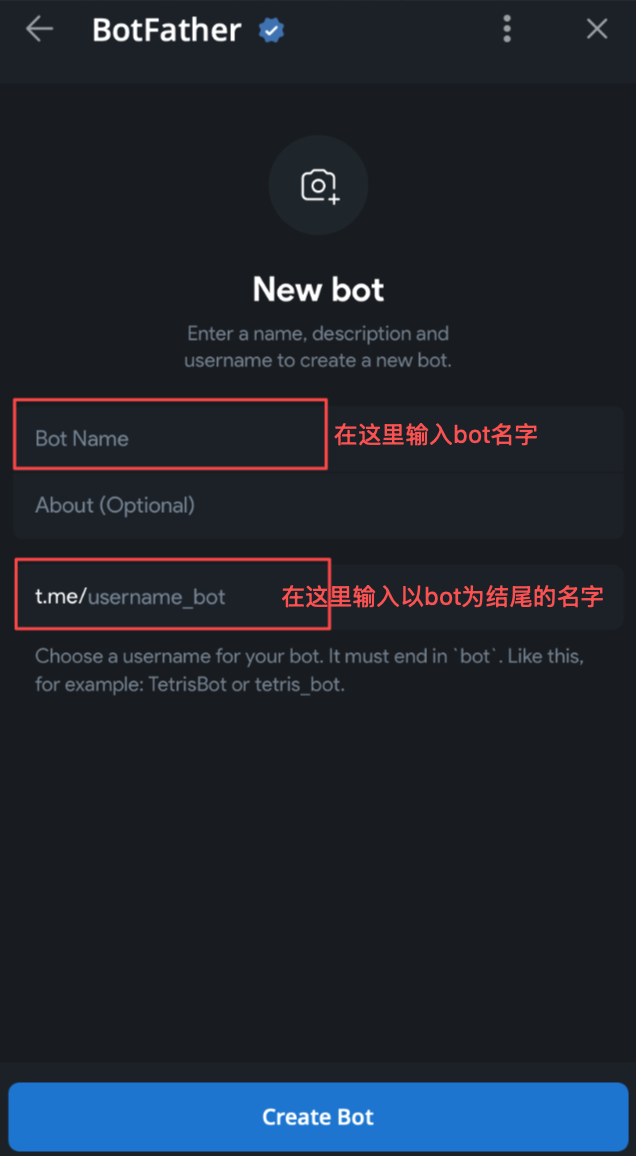
* 输入bot名字，再输入以bot为结尾的名字后，点击"Create Bot"后即创建成功

<div data-with-frame="true"><figure><img src="/files/fdmMMkcWYx4vOu2wqcsR" alt="" width="318"><figcaption></figcaption></figure></div>

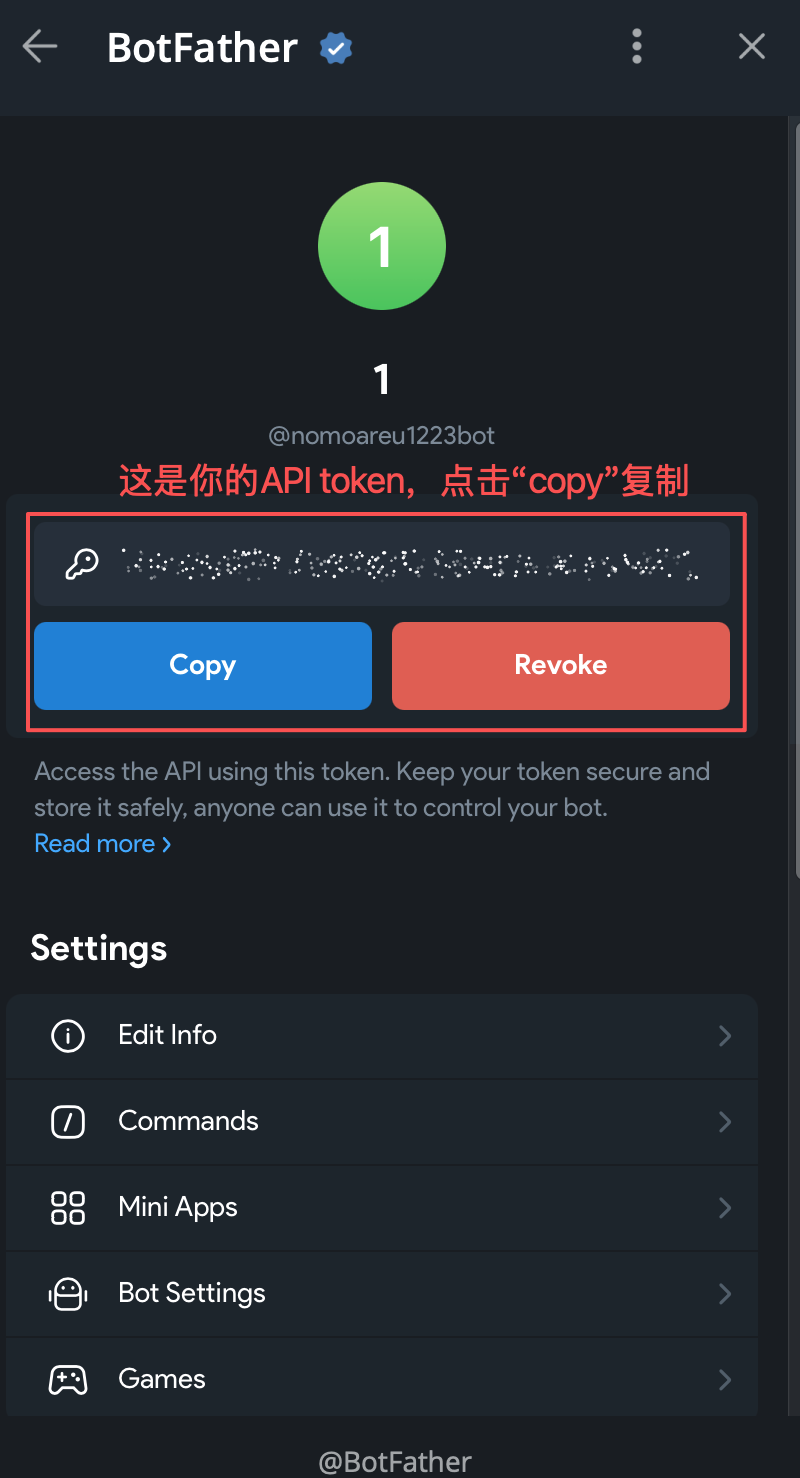
* 复制你的Bot API Token到输入框后即可

<div data-with-frame="true"><figure><img src="/files/xTBNZ0CtkDSII8baxWxp" alt="" width="375"><figcaption></figcaption></figure></div>

### 第二步 获取你的"Group ID"

**两种推送途径：**

#### 途径1：推送消息给你自己

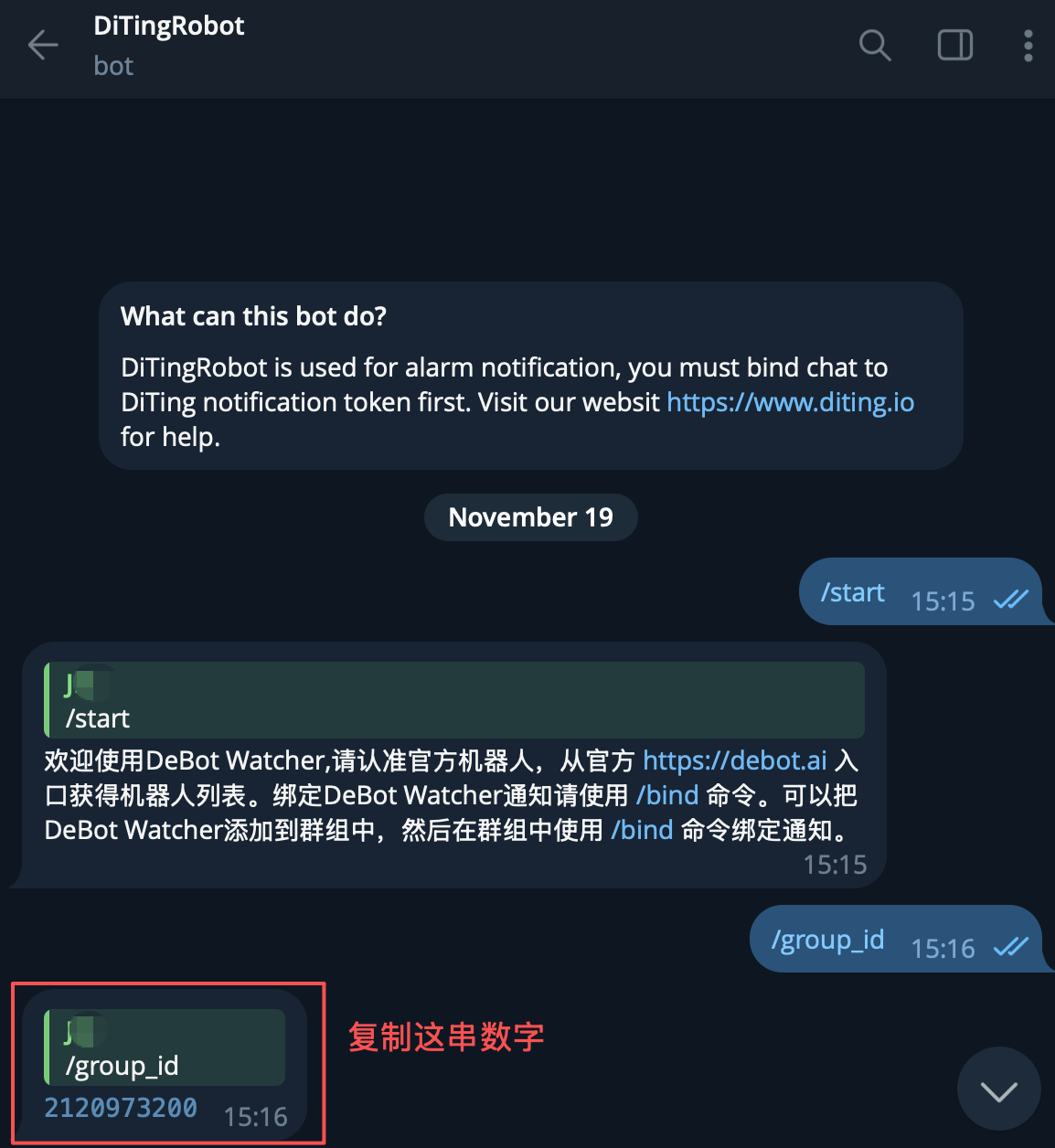
* 首先打开@DitingRobot，输入"/group\_id"后，将bot发送的group id填写到输入框中

<div data-with-frame="true"><figure><img src="/files/xPxpysxt57bfHdBcqCdE" alt="" width="375"><figcaption></figcaption></figure></div>

#### 途径2：推送消息到群组

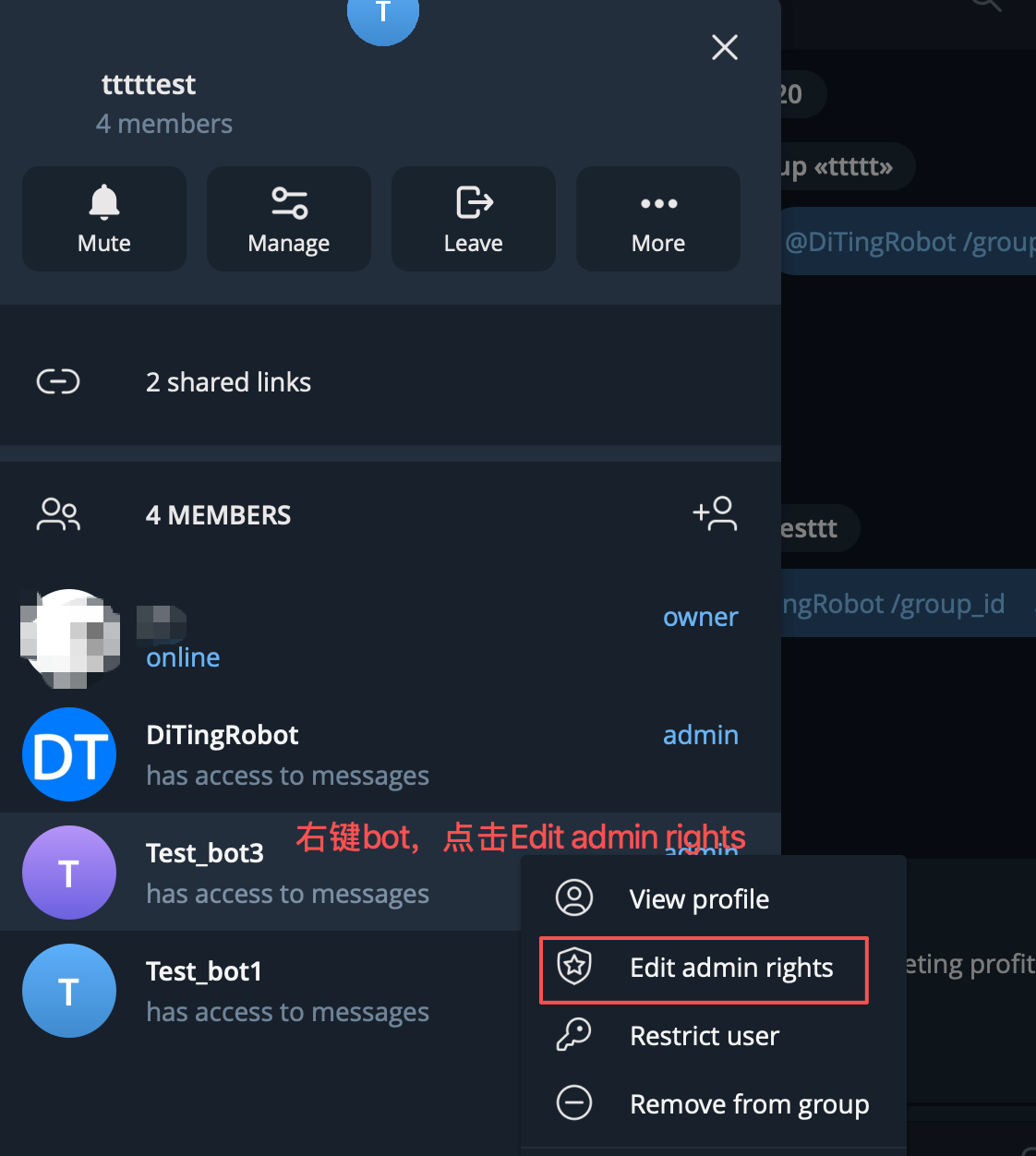
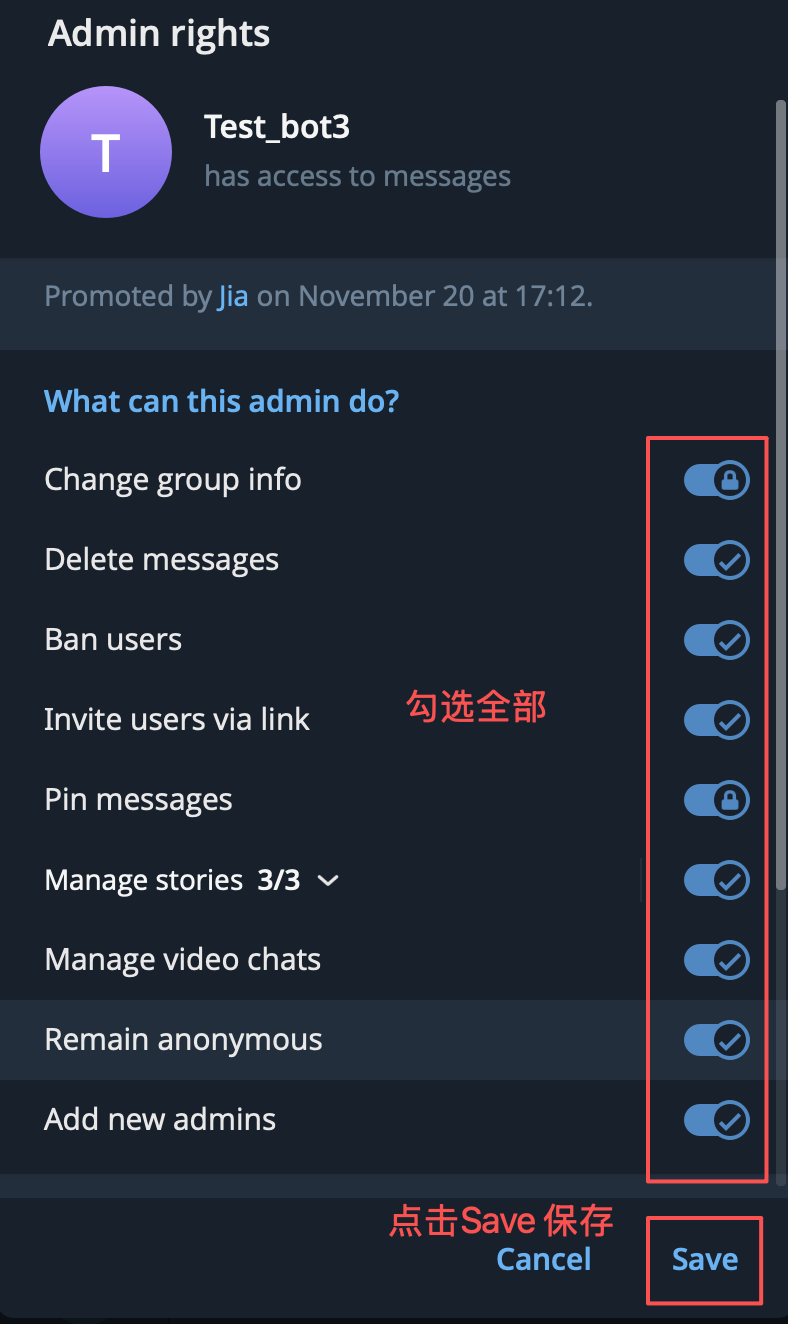
* 将@DitingRobot 和你的bot一起拉进群组，点击群组管理，给DitingRobot和你的bot加上管理员权限
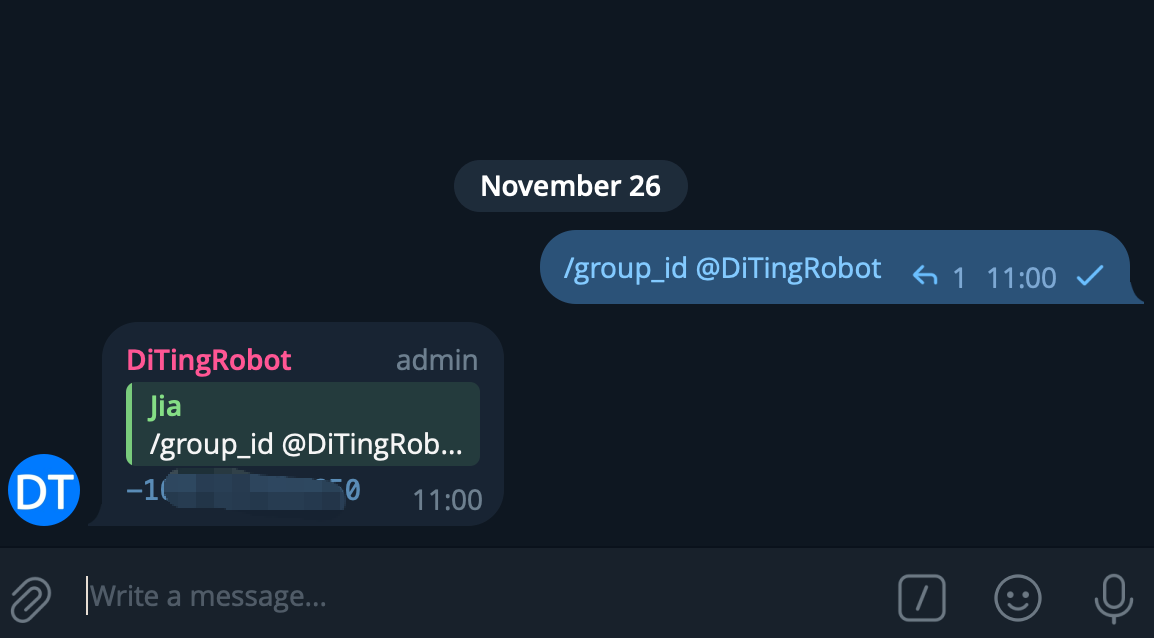
* 开启权限后，在聊天框内输入/group\_id @DitingRobot，把bot发送的Group ID复制到TG监控配置框即可

<div><figure><img src="/files/gm2pAvYj7Fz488YP03T5" alt="" width="375"><figcaption></figcaption></figure> <figure><img src="/files/me2shLmWNZelBr2fSOCp" alt="" width="375"><figcaption></figcaption></figure></div>

<div data-with-frame="true"><figure><img src="/files/3kI7k3pWEJ33u1BzdLcu" alt="" width="375"><figcaption></figcaption></figure></div>

### 第三步 测试发送

* 点击测试消息的按钮来确认配置过程是否无误，若没有收到测试消息，请检查Bot API Token 和 Chat ID 是否填写正确

<div data-with-frame="true"><figure><img src="/files/80cVlAPtRBYmF30F7Ilt" alt="" width="375"><figcaption></figcaption></figure></div>

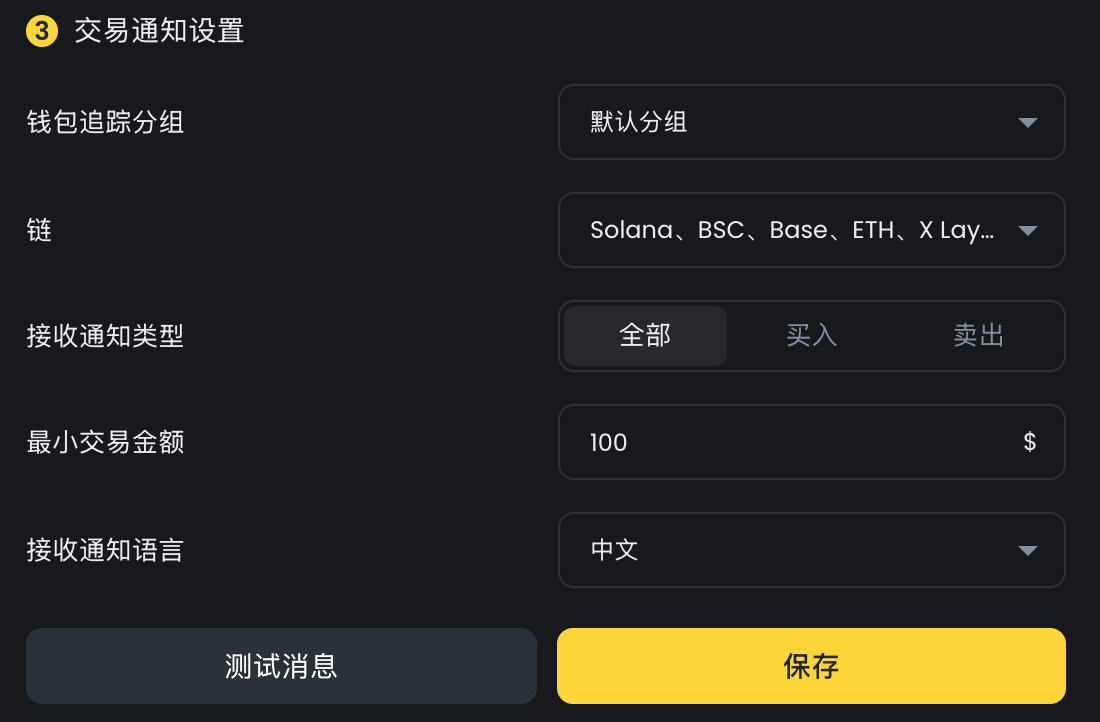
### 第四步 交易通知设置

* 在这里设置交易通知的过滤条件

  * 钱包追踪分组：选中的分组内所有钱包的交易活动都会被推送
  * 链：只推送已选中的链内的交易活动
  * 接收通知类型：推送的交易活动类型
  * 最小交易金额：过滤掉低于最小交易金额的交易活动推送
  * 接收通知语言：推送到TG的消息通过哪种语言显示

  <div data-with-frame="true"><figure><img src="/files/kMNkVkZzDBq7KK3rMx85" alt="" width="375"><figcaption></figcaption></figure></div>


---

# Agent Instructions: Querying This Documentation

If you need additional information that is not directly available in this page, you can query the documentation dynamically by asking a question.

Perform an HTTP GET request on the current page URL with the `ask` query parameter:

```
GET https://docs.debot.ai/basic-features/jian-kong-pei-zhi/tg-tong-zhi-pei-zhi-jiao-cheng.md?ask=<question>
```

The question should be specific, self-contained, and written in natural language.
The response will contain a direct answer to the question and relevant excerpts and sources from the documentation.

Use this mechanism when the answer is not explicitly present in the current page, you need clarification or additional context, or you want to retrieve related documentation sections.