# 消息通知

消息有两处入口，分别是

## 浮窗消息

浮窗消息在任何Debot的页面都会显示，方便用户实时查看消息

<figure><img src="/files/S8ZsoRUi6HMfan903cfa" alt=""><figcaption></figcaption></figure>

上面的数字代表未读消息数量。

当用户收到消息时，铃铛上面的数字会自动增加，提醒您有新的消息。

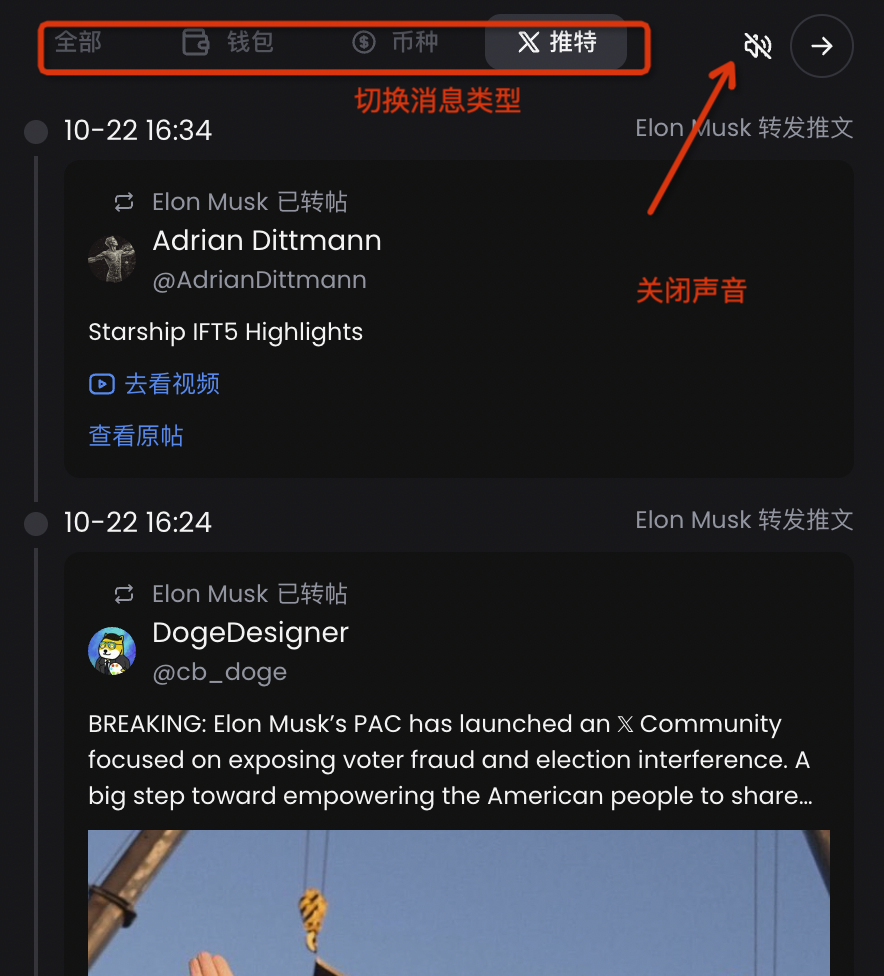
您可以在右上角开关音效

<figure><img src="/files/fKzPHBM2nt9RDbCxi7i3" alt=""><figcaption></figcaption></figure>

## 消息页面

消息页面对消息做了分类

{% embed url="<https://debot.ai/deFiBot/notifications>" %}

<figure><img src="/files/uqYWHqeVQ0xTsy9Dadwi" alt=""><figcaption></figcaption></figure>


---

# Agent Instructions: Querying This Documentation

If you need additional information that is not directly available in this page, you can query the documentation dynamically by asking a question.

Perform an HTTP GET request on the current page URL with the `ask` query parameter:

```
GET https://docs.debot.ai/basic-features/xiao-xi-tong-zhi.md?ask=<question>
```

The question should be specific, self-contained, and written in natural language.
The response will contain a direct answer to the question and relevant excerpts and sources from the documentation.

Use this mechanism when the answer is not explicitly present in the current page, you need clarification or additional context, or you want to retrieve related documentation sections.